Filenews 19 August 2024

Two important changes are recorded in the GHS IT system. One concerns the information of patients about the number of registered beneficiaries in the list of personal doctors for adults and children and the other concerns the information of beneficiaries regarding the replacements of personal doctors. This information is evident only during the replacement of the personal doctor by a replacement.
Analytically:
Indication of the number of registered beneficiaries in the list of Personal Doctor (PD) for Adults and Children
Specifically, during the Provider Search through the GHS website (www.gesy.org.cy) or through the Beneficiary Portal, by selecting the field "Health Service Providers", the information given for each PD has been enriched with the range of beneficiaries registered in its list, as follows:
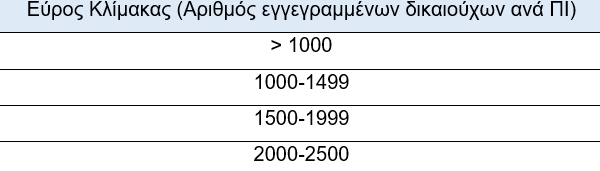
It is noted that the maximum number of beneficiaries that each PD has the right to register in its list is 2500.
The following screenshots show the above information, depending on how the search is done:
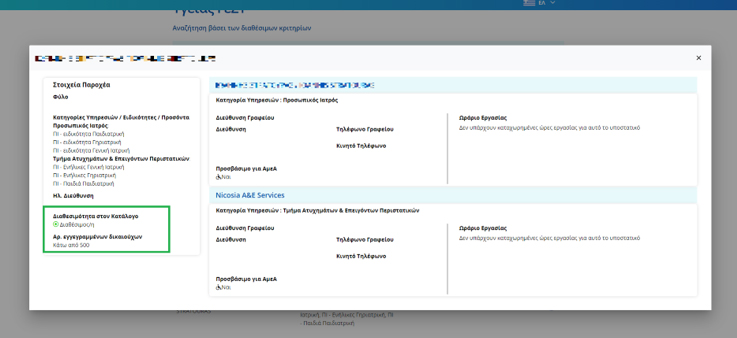
I. GHS website
The beneficiary through the "Search for providers", after selecting a specific doctor, has access to the availability and the number of beneficiaries registered in his list, as shown in the box below:
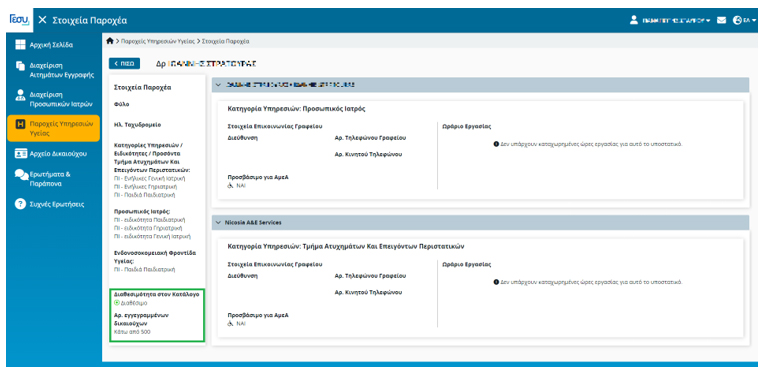
II. Beneficiary Portal
The beneficiary, after entering the "Beneficiary File" of the Beneficiary Portal, after selecting the indication "Health Service Providers", looking for the doctor of his choice, can see the corresponding information (in a green box):
Show Personal Doctor replacements
In addition, the information given on PDs is enhanced by the appearance of PD replacements, either through the GHS website or through the Beneficiary Portal. This information is only apparent during the replacement of the PD by a substitute.
I. GHS website
The beneficiary, through the "Search for providers", selects his Personal Doctor and receives access to the following information:
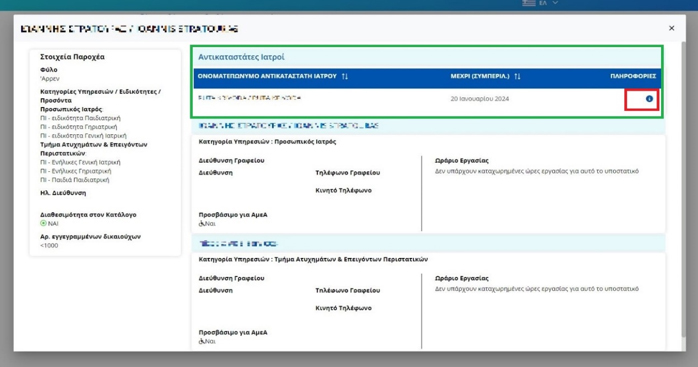
By selecting the point with a red box on the above screen, the details of the Replacement Doctor will appear:
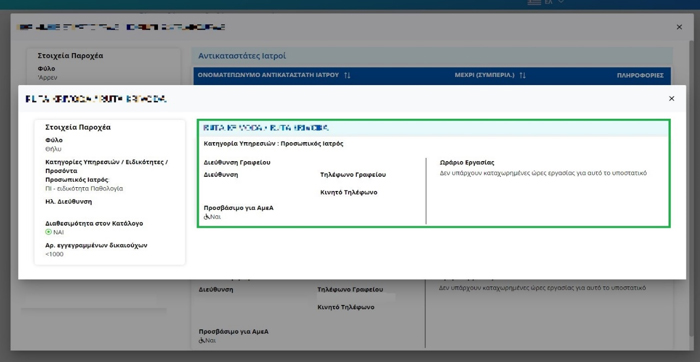
II. Beneficiary Portal
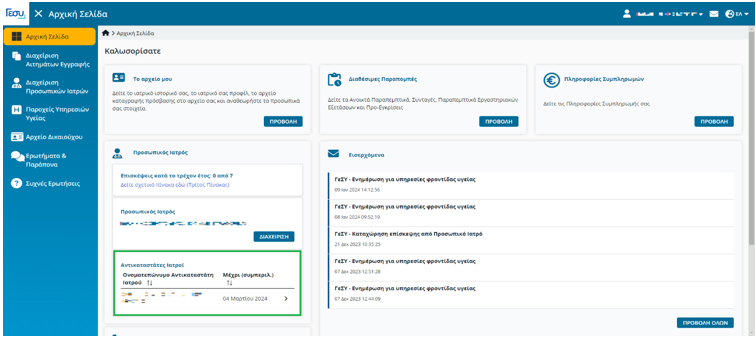
The beneficiary, after entering the "Beneficiary File" of the Beneficiary Portal, selects the box in green colour "Substitute Doctors", as shown in the screenshot below:
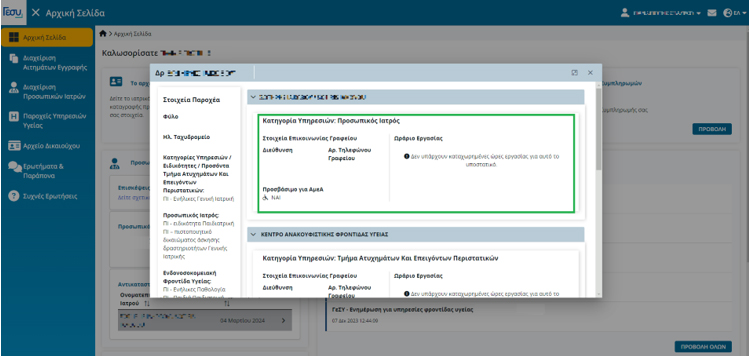
The details of the replacement PD are displayed below, as follows:
In conclusion, it is noted that the HIO remains committed to the continuous upgrading of the IT System in the context of enhancing the quality of the GHS health services provided and the effective service of beneficiaries.
